Scraping pricing data with AI: 5 Engineering Lessons
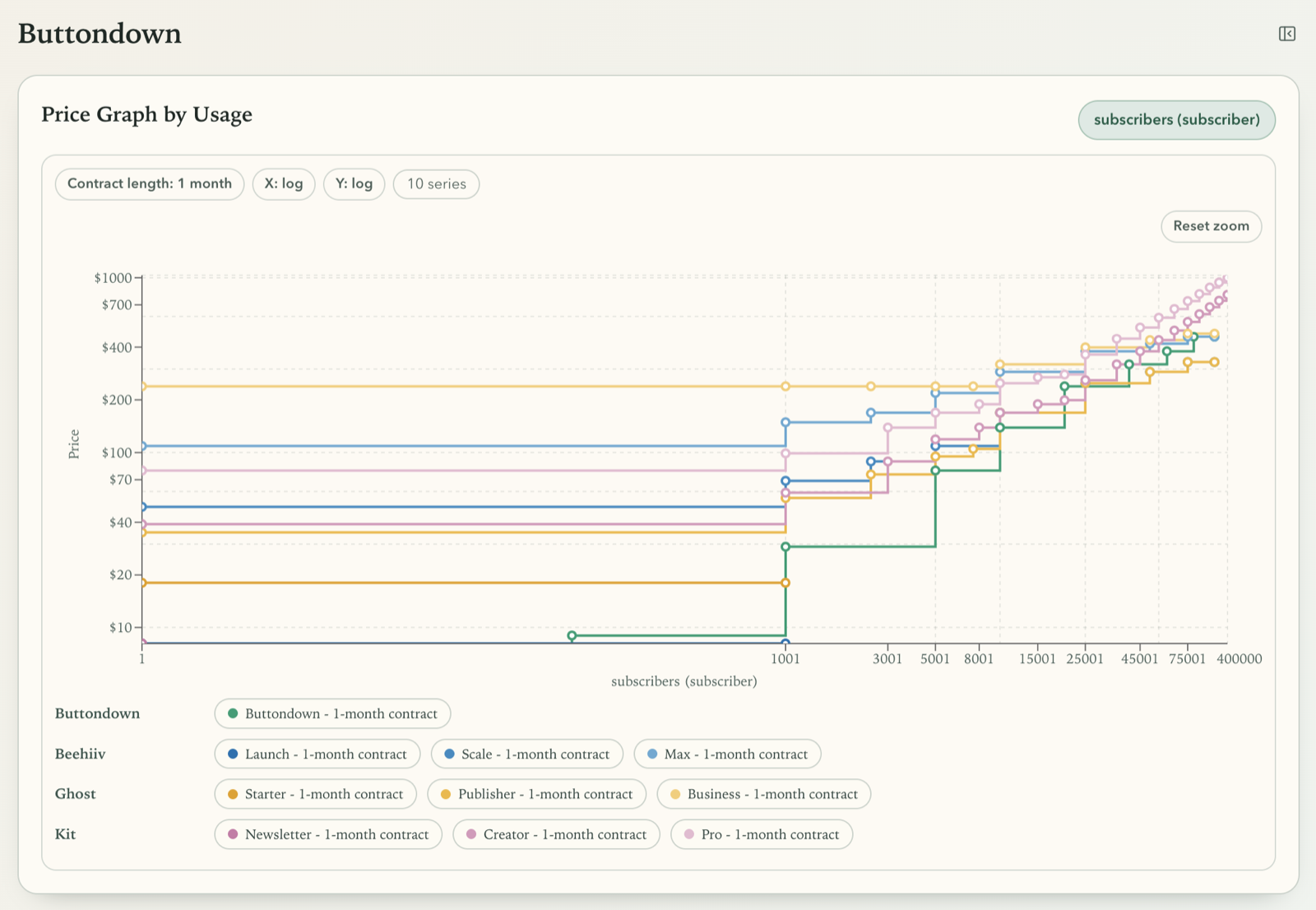
I built a prototype that monitors competitor pricing from live websites. The goal was straightforward: extract pricing plans, normalize values, and visualize pricing behavior across parameters such as usage range and contract length.
The implementation was less straightforward. Pricing pages vary a lot in structure, interactivity, and terminology. Assumptions broke quickly, extraction logic changed repeatedly, and the UI needed several iterations before it became useful for real decisions.
This article covers five lessons that I learned from this project and thought would be worth sharing.
This post is for: Engineers and technical product people building scraping, pricing intelligence, or decision-support tools where data is semi-structured and changes frequently.
If you want to explore the prototype yourself, open the live demo: Competitor Pricing Monitor Prototype.
TL;DR
- Pricing pages are presentation systems, not clean data sources.
- AI is useful for discovery and setup; deterministic pipelines work better for continuous monitoring.
- Don’t focus on local/smaller models in the first prototype; get a working baseline first.
- Pricing domain models need iterative hardening as edge cases appear.
- Finding the right visualization is crucial for decision-ready output.
Lesson 1: Pricing pages are presentation systems
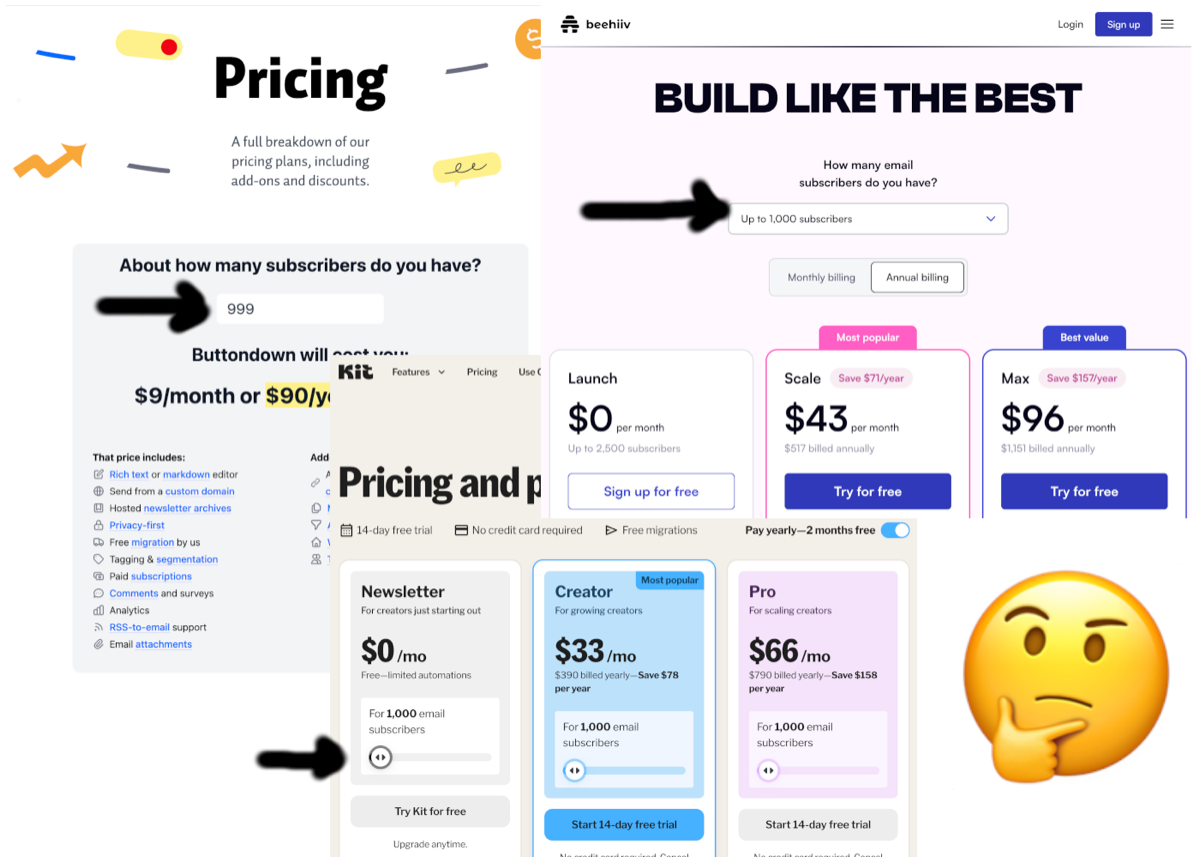
My first wrong assumption was that pricing pages expose stable data structures. I expected some variance, such as presentation as tables vs. tabs. But reality was much more complex. In practice, pricing pages are designed for human conversion flows, not machine extraction.
Across targets in this prototype, I ran into all of these patterns:
- Static HTML tables
- Card layouts with mixed metadata
- Frontends loading pricing from API calls via JavaScript
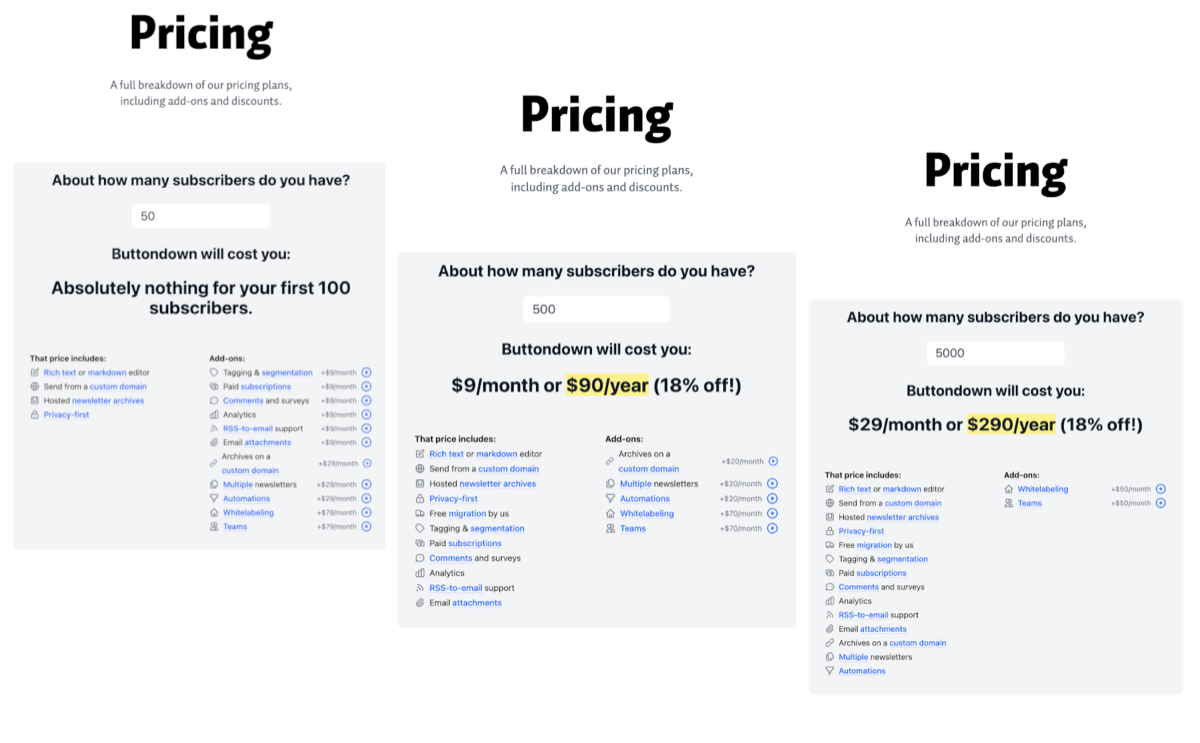
- Input-driven pages where tabs, toggles, or sliders change displayed price
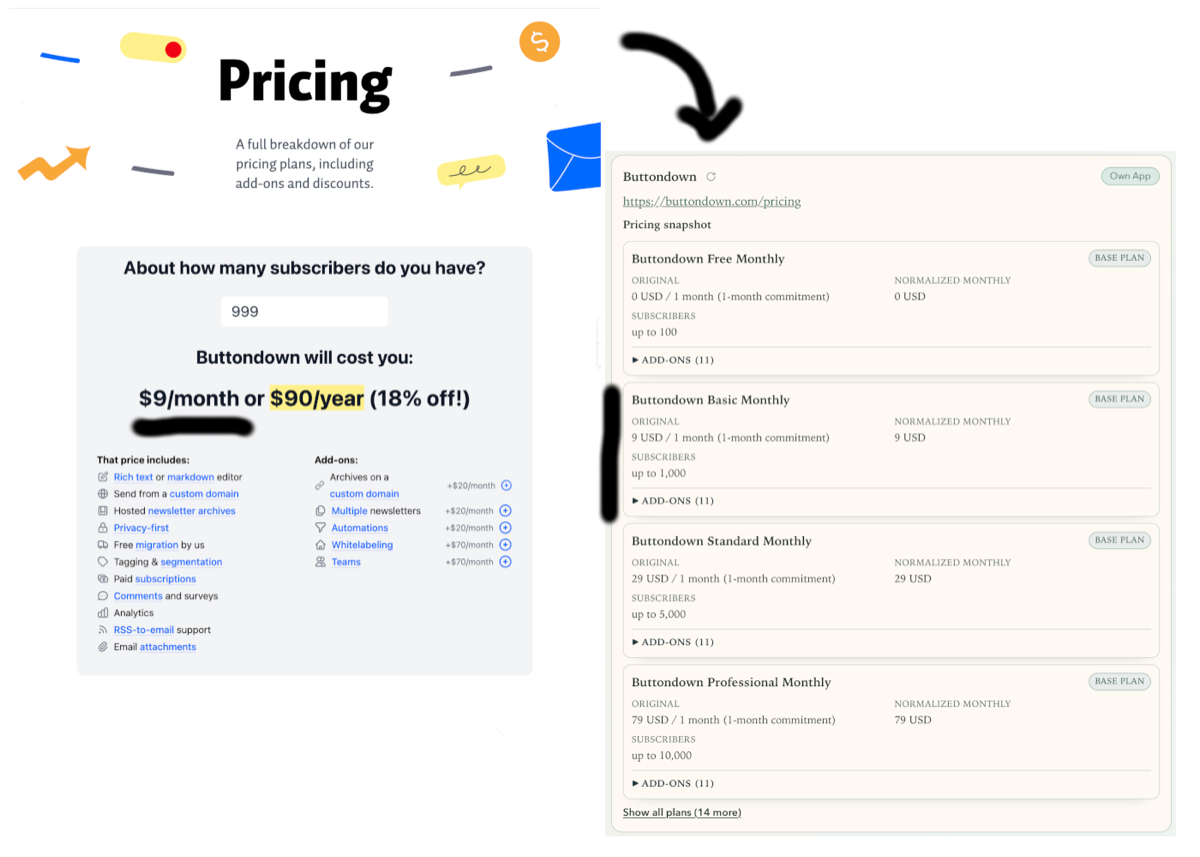
One target used an input box that mapped usage to tiers. To extract that logic, I had to parse an obfuscated, minified JavaScript bundle.
The implication is simple: extraction logic must model presentation mechanics as first-class concerns. A single generic parser is rarely enough.
Lesson 2: Separate discovery-time AI from runtime extraction
The first extraction pipeline relied heavily on AI agents. That was great for fast exploration of unfamiliar page structures.
For continuous monitoring, a different model worked better:
- Use AI during setup to propose selectors, parsing strategies, and edge-case hypotheses.
- Convert that output into deterministic, target-specific extraction configuration.
- Re-run deterministic extraction until the page structure changes.
This split improved repeatability and made failures easier to debug. In my test runs, deterministic execution was also much cheaper than repeated AI API calls.
Lesson 3: Local models should not be the focus of an initial prototype
I also tested local models for extraction tasks. In this prototype, they required more operational effort:
- Lower parsing reliability on heterogeneous page structures
- More aggressive context trimming to fit model limits and prevent context rot (where long prompts drift and lose key constraints)
- More prompt tuning to stabilize output format
Frontier models produced usable structure faster and handled noisy input better in this setup. Local models still make sense later as a cost or privacy lever once prompts and workflows are stable.
For this prototype, I stopped local-model experiments once the baseline worked with frontier models. I left optimization for a later iteration, following the mantra “Make it work, make it pretty, make it fast (or optimize for whatever)”.
Lesson 4: Domain models need iterative hardening
The initial domain model covered plans, currencies, usage tiers, flat fees, and revenue-share components. For the first iteration, it looked complete.
Early extraction runs exposed gaps quickly:
- Add-ons with plan-scoped availability and inclusion rules (for example, included in one tier but paid in another)
- Tier families that combine feature grouping with pricing behavior, introducing another axis besides usage tier
What worked was a complete rollback and building the model incrementally from actual cases instead of abstracting too early:
- Keep the core explicit and small, then extend it when new evidence appears.
- Delay broad generalization until multiple targets confirm a pattern.
Neither I nor the AI could predict this complexity up front. AI-assisted modeling worked best as an incremental process, similar to how engineers learn a domain in production.
Lesson 5: Dependency modeling and visualization must evolve together
Remember the interactive sliders and buttons on pricing pages I mentioned earlier? At some point I started modeling such interactive controls as pricing dependencies. A slider stopped being a UI detail and became an input parameter instead.
Modeling dependency relations then allowed me to generate interactive charts in the UI dynamically. By modeling usage parameters and commitment lengths explicitly, the system could render curves instead of static points and show exactly where competitors diverge.
At that stage, frontend clarity mattered as much as extraction quality. I iterated on defaults, color semantics, tooltip behavior, and control density. For example, I tuned chart axis defaults, adjusted hover emphasis and tooltip ranking, and simplified selectors into inline parameter pills. Those changes were necessary to make comparison fast enough for real decision-making.
When converting this prototype into a real product, I would need more thought and likely heuristics to derive chart defaults dynamically because this is highly case-specific.
In the end, those visualizations have to support answering core questions in seconds, such as where a plan becomes more expensive for a given usage band and contract length.
Conclusion
This prototype reinforced a practical pattern for semi-structured domains:
- Explore quickly.
- Stabilize runtime behavior with deterministic flows.
- Keep things simple and use the AI models that work reliably in a prototype.
- Harden the domain model through observed evidence.
- Align model semantics and UI semantics.
If you’re building a similar system, expect the domain to be deeper and more complex than you expect, AI models to be worse and more expensive than you guess, and delays in optimization until your prototype is settled and you know which approach fits best.